One of my best kept secrets when it comes to editing my Instagram stories is doing so within the app. The platform itself offers a plethora of features when it comes to creating stories and enables users to add stickers (which can feature another account, showcase a location, have users participate in a quiz or poll, and much more) and gifs, include text in any color imaginable or using those colors found in the image, draw, and create unique content utilizing Instagram filters and user generated filters. However, there are also many mobile apps outside the platform which I love using to further step up my Instagram story game. In this article, I’ll be sharing my 7 favorite.
1. VSCO
This popular photo editing app enables users to choose from a variety of free filters for their photos, making them seem like an expert photographer and photo editor in minutes. The app also offers an expanse collection of additional filters and editing features to VSCO members for $19.99 a year, as well as the ability to use filters for videos. Nevertheless, another free feature includes a camera effect called DSCO, which is similar to a stop motion graphic.
2. Adobe Photoshop Lightroom
This mobile friendly version of Adobe’s Lightroom Classic is another photo editing app that offers an even greater variety of editing tools then does VSCO. A vast majority of these features are also free. From what I’ve noticed thus far, users are limited when it comes to editing RAW photos without subscribing to the Adobe software plan. Otherwise, Lightroom is another great photo editing option, especially for more advanced users.
3. Fonts
Whoever named this app either seriously lacked creativity or is an honest genius. Just as it sounds, this app offers a greater variety of fonts than Instagram offers natively for users to add text to their stories. It works as a keyboard on your phone, making it super user friendly and easy to use on Instagram and other apps.
4. Phonto
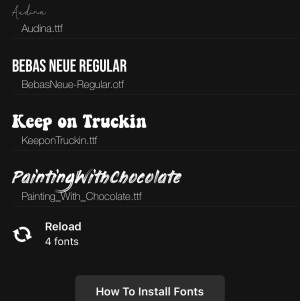
Phonto is a great tool for customizing Instagram stories with text. There are many free fonts to use on the platform and users may also opt to upload their own fonts. The app also provides the capability to overlap images and create designs from scratch.
5. Unfold
Unfold boasts a very trendy design within the app. While it provides many free frames, individuals can opt to pay and unlock more styles. One of my favorite frames offered on the app lets users add their photo into a polaroid frame and add text beneath it if they so wish. With polaroids once again becoming a popular option for film photography, I highly recommend checking out this app for your Instagram stories!
6. StoryChic
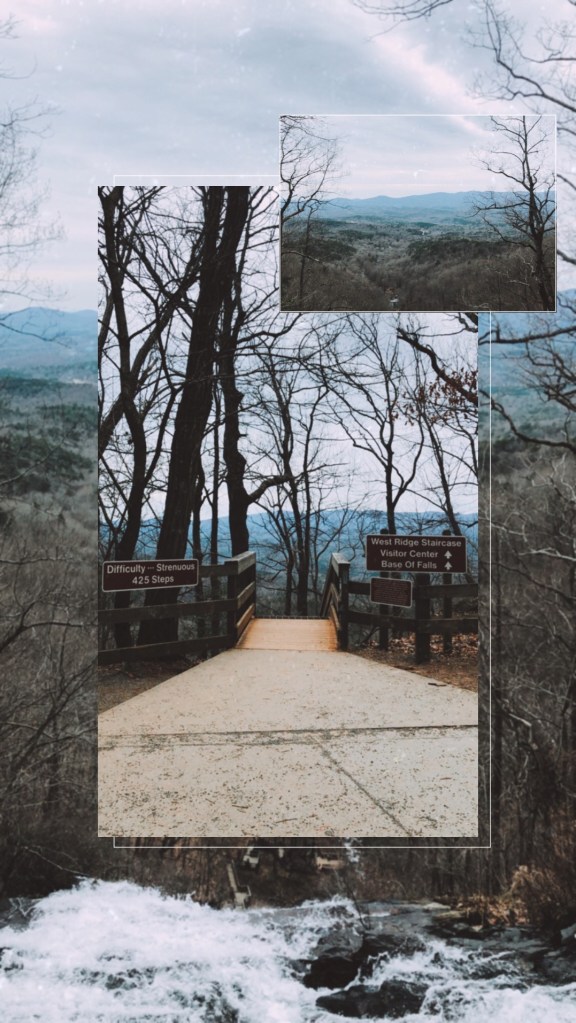
I’ve been experimenting with this app over the past month and frequently get asked what app I use whenever I post a design to my Instagram story. The answer is StoryChic! There are many free and cute templates on this app, perfect for bloggers, along with a few animated designs to choose from.
7. mojo
This app is a must for brands promoting their products or services. They offer several free templates for Instagram stories, many of which are animated. Your company is sure to portray an even greater level of professionalism utilizing these Instagram story graphics.
If you liked this post, I’d love for you to give it a like and check out some of my previous articles. What are some of your favorite editing apps? Also, don’t forget to follow my blog for future uploads pertaining to social media marketing!
 The More Social Business